
Files, documents and photos
Save important documents, private photos, videos and supported files. Retrieve a passport scan, receipt or family photo when you need it.
Keep files, photos, logins and memories together. Manage supported digital assets and crypto, find authorized content with AI chat, and prepare optional access for someone you trust.
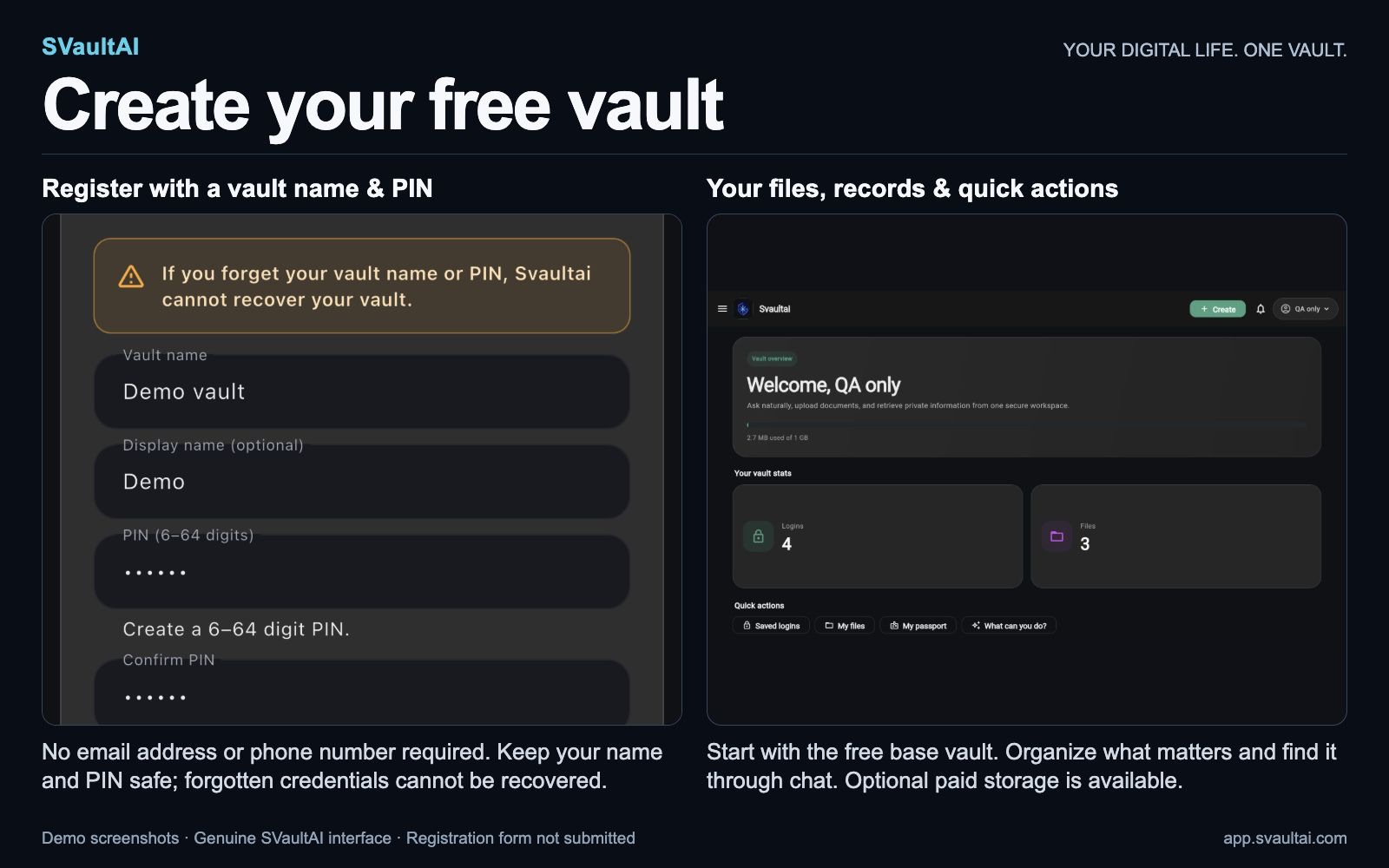
Free base vault with 1 GB included. No email address or phone number required to register. Optional paid storage; cryptocurrency wallet features require an eligible paid storage plan.
Save a passport scan, then ask chat to find it when you need it. Separately, pair a trusted beneficiary and prepare vault credentials for a future access request. The beneficiary receives credentials after the release rules are met; a passport, bank account or token does not change legal ownership.
SVaultAI brings personal storage, retrieval and supported asset tools into one app. Choose the categories you need, and review each feature’s privacy and access requirements.
Save important documents, private photos, videos and supported files. Retrieve a passport scan, receipt or family photo when you need it.
Keep account details in your vault. Find a named login, review it, update it or remove information you no longer need.
Preserve personal notes and details alongside your files. Use the memory timeline or chat to find supported saved information.
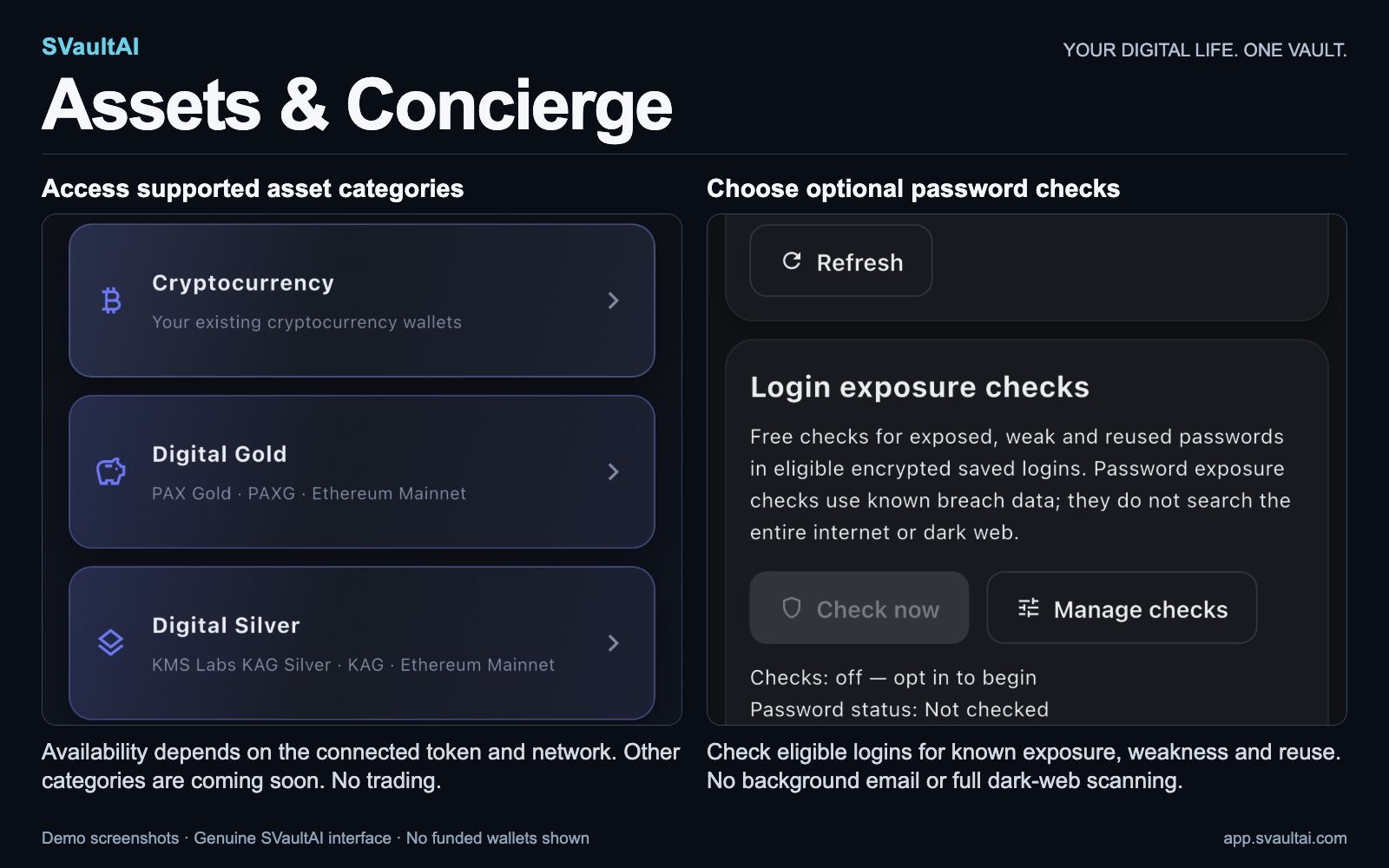
Use supported non-custodial cryptocurrency wallet tools, PAXG Digital Gold and Ethereum KAG Digital Silver. View balances, receive, review sends and see transaction history on supported networks.
Ask about content you authorize in everyday language, such as “find my passport scan.” AI and document features may process authorized content on servers and with service providers.
Pair a trusted beneficiary and prepare credentials for future access. Review an access request, or let the request’s waiting period run before prepared access becomes claimable.
Crypto is a supported category inside SVaultAI’s Assets area. Digital Gold supports PAXG on Ethereum Mainnet; Digital Silver supports the KMS Labs KAG ERC-20 token on Ethereum Mainnet.
Wallet sending requires your approval. SVaultAI does not hold your funds or provide trading, brokerage or fiat purchases. Supported tokens, networks, plan eligibility, issuer terms and country restrictions determine what is available.
Use SVaultAI on the web, iPhone, iPad or Android. The web button opens registration; choose a vault name and PIN to create your vault.
1 GB included · no subscription required
Start with files, photos, logins and memories. No email address or phone number is required to register. Keep your vault name and PIN safe: support cannot recover them.
More capacity · monthly subscription
Choose an available storage tier in the mobile app. Cryptocurrency wallet features require an eligible paid storage plan. Prices, taxes and available tiers depend on your store and region; review the local price before confirming.
Protected files and records are encrypted while stored. Your vault name and PIN are required to open your account; support cannot recover them if forgotten. AI and document features may process the content you authorize on servers and with service providers.
Pair beneficiary → prepare credentials → review a request or wait for release. A request starts its waiting period. Approval makes the prepared package available; declining stops that pending release. If you do not respond before the period expires, the beneficiary can claim the prepared credentials.
Example: prepare an encrypted package containing the vault name and PIN you want your beneficiary to receive. After authorized release, they can reveal those credentials and use them to sign in. Credentials can unlock the associated vault; this is not a per-file sharing permission.
This feature does not replace a legal will or transfer legal ownership. Read the complete access flow.
A digital vault is a place to organize and protect important digital information. SVaultAI combines encrypted storage for supported personal content with AI retrieval, optional beneficiary access planning and supported digital-asset tools. Read the encrypted-vault guide.
Logins are one part of SVaultAI. Files, private photos and videos, memories and supported digital assets also have dedicated features. Compare the two approaches.
The base vault includes 1 GB of storage with no subscription required. Optional paid storage plans are available, and cryptocurrency wallet features require an eligible paid storage plan. Check the current plan details in the app before upgrading.
SVaultAI is available on the web, iPhone, iPad and Android. Feature availability can depend on your current release, platform, plan and supported network.
No. Keep both safe, and test your chosen access arrangements before relying on them. Optional beneficiary planning must be prepared in advance.
The short product walkthrough shows registration, the dashboard, AI chat, files, digital assets and optional beneficiary access using demo information.